If your computer is going to be erased for any reason, you may want to save your bookmarks so you can re-load them again. Here's how:
Safari:
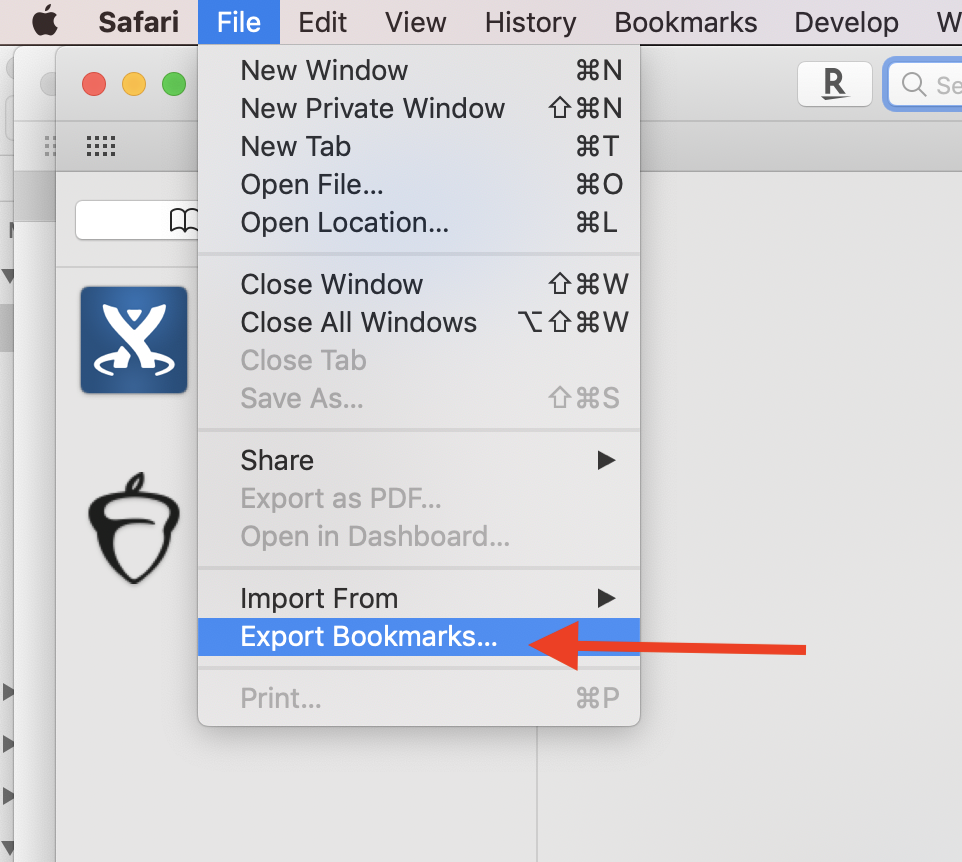
Go to the File menu in Safari and choose "Export Bookmarks..."
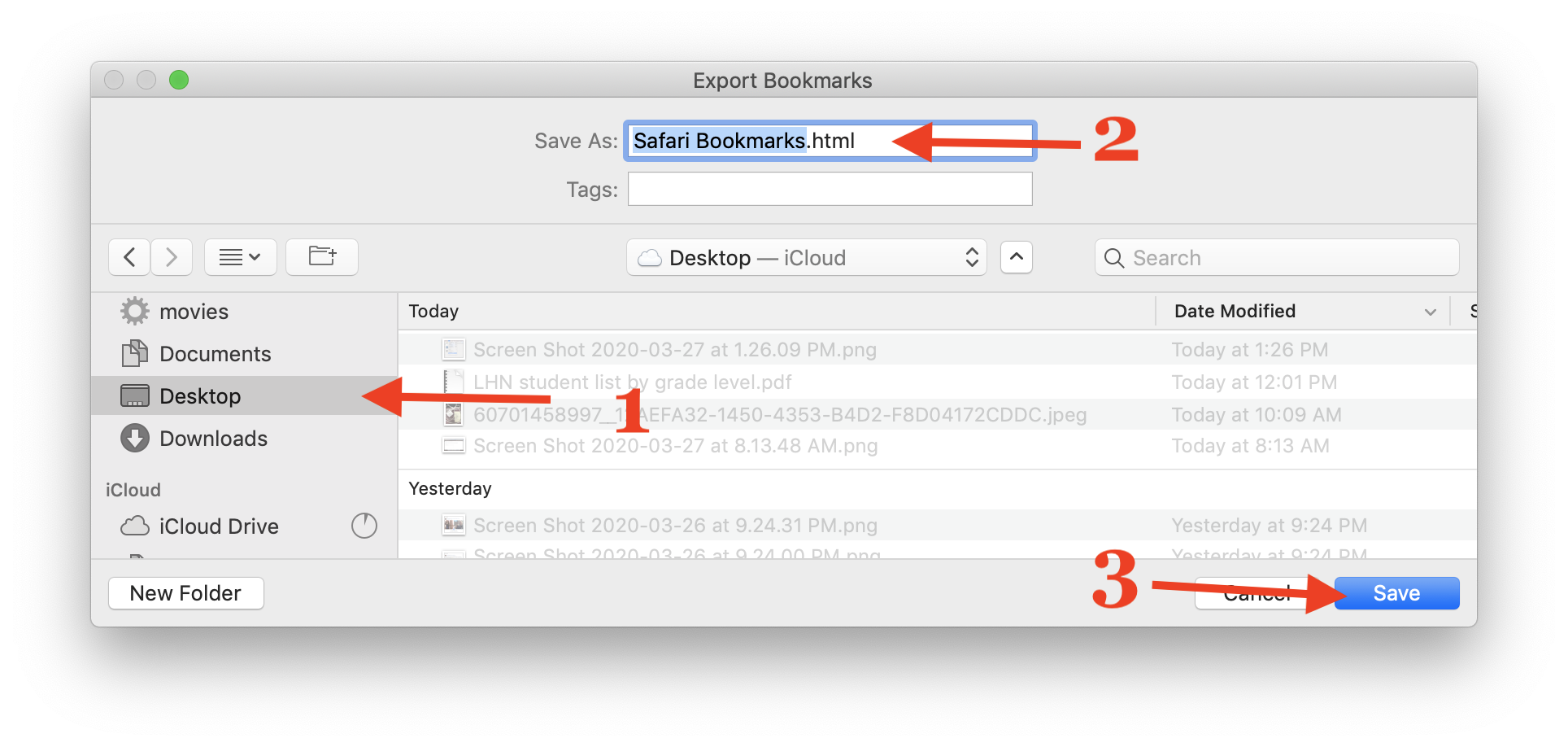
Choose the place where you'd like to save your bookmarks, give your file a name, and click save. Be sure to back up this file or sync it to OneDrive
Firefox:
Click on the "Bookmarks" menu and choose "Show All Bookmarks"

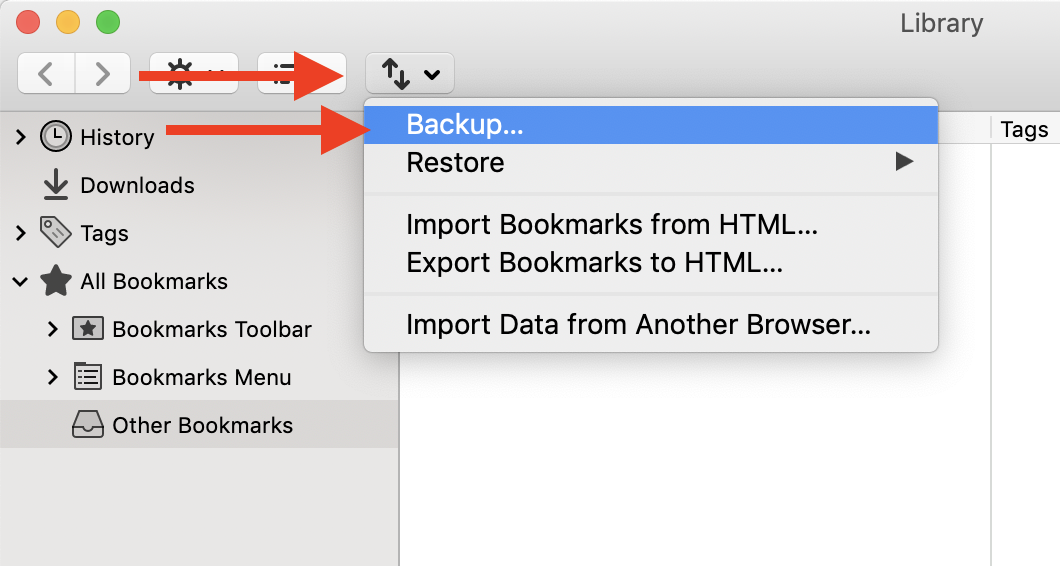
In the library window that opens, click on the button with 2 arrows and choose "Backup..."
Choose the place where you'd like to save your bookmarks, give your file a name, and click save. Be sure to back up this file or sync it to OneDrive
Chrome
Click on the "Bookmarks" menu and choose "Bookmarks Manager"

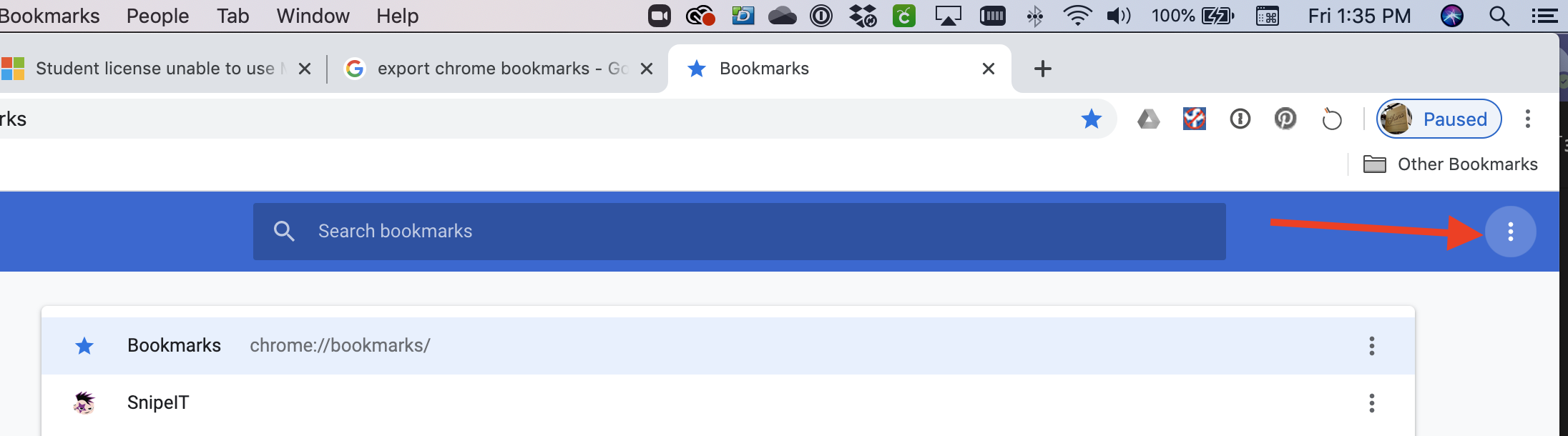
Click on the button with 3 dots on the right side of the screen:
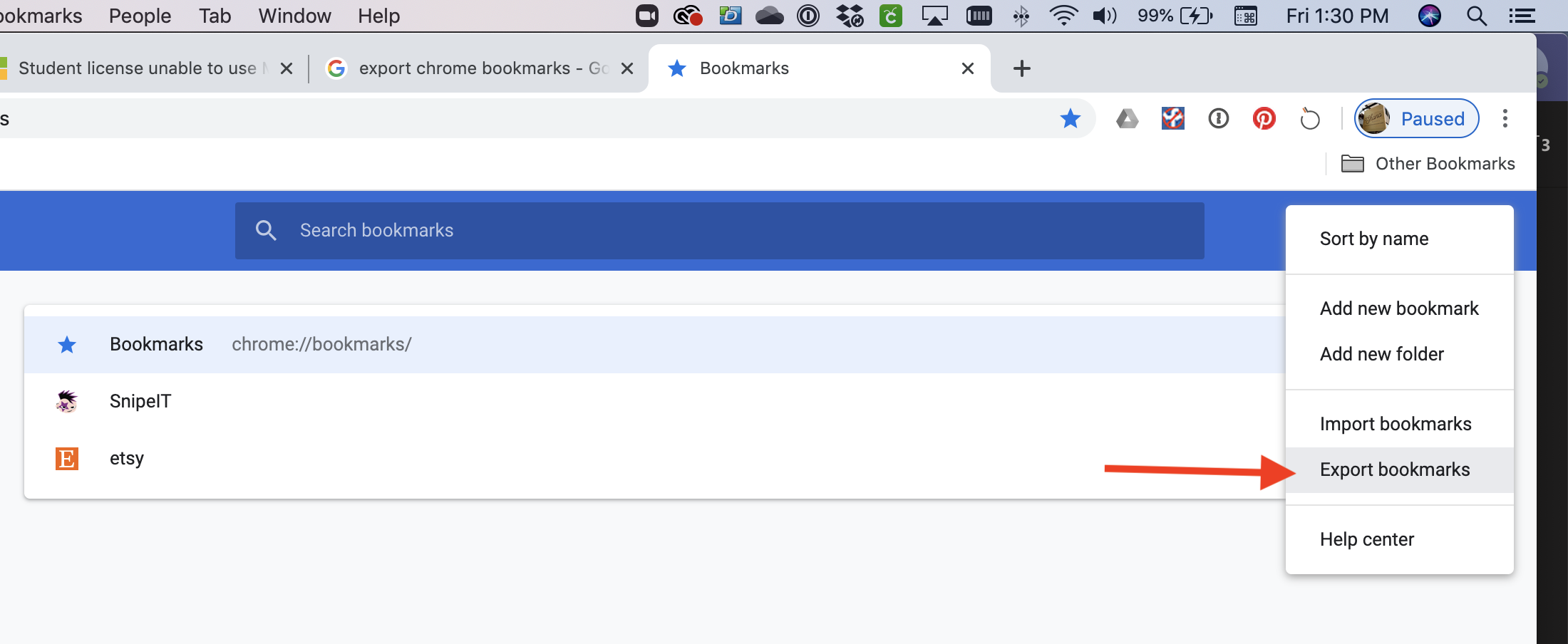
Choose "Export bookmarks" from that menu:
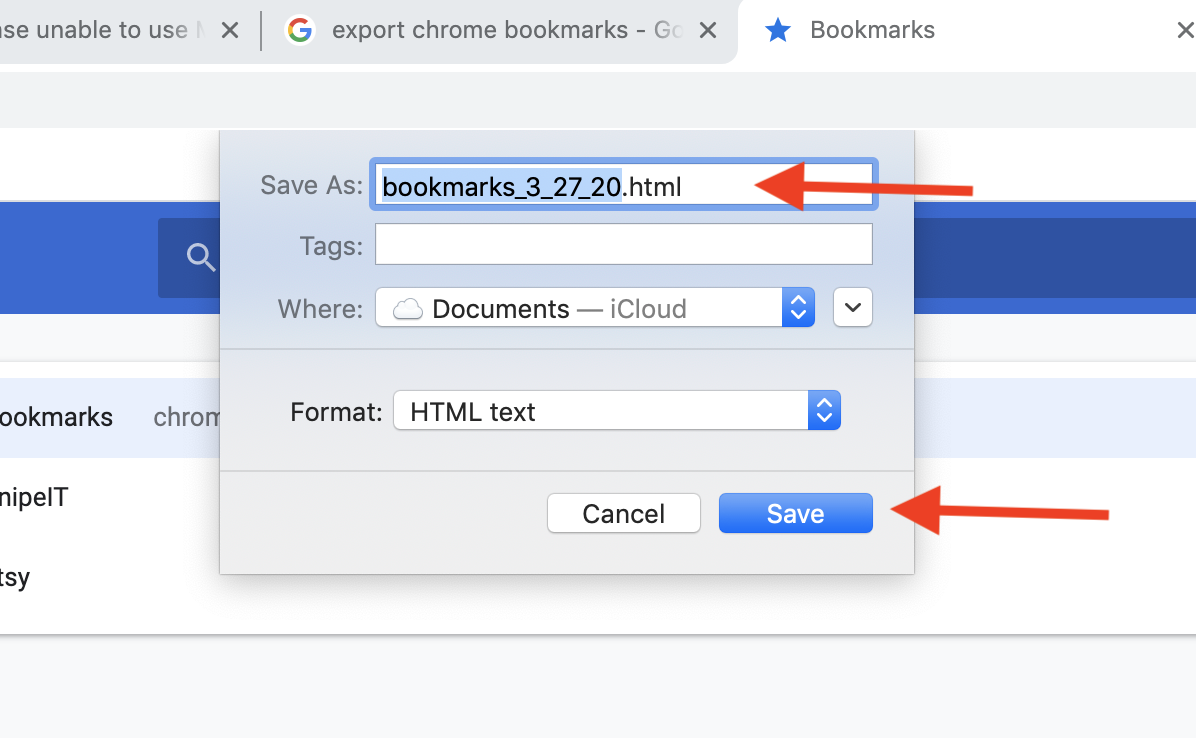
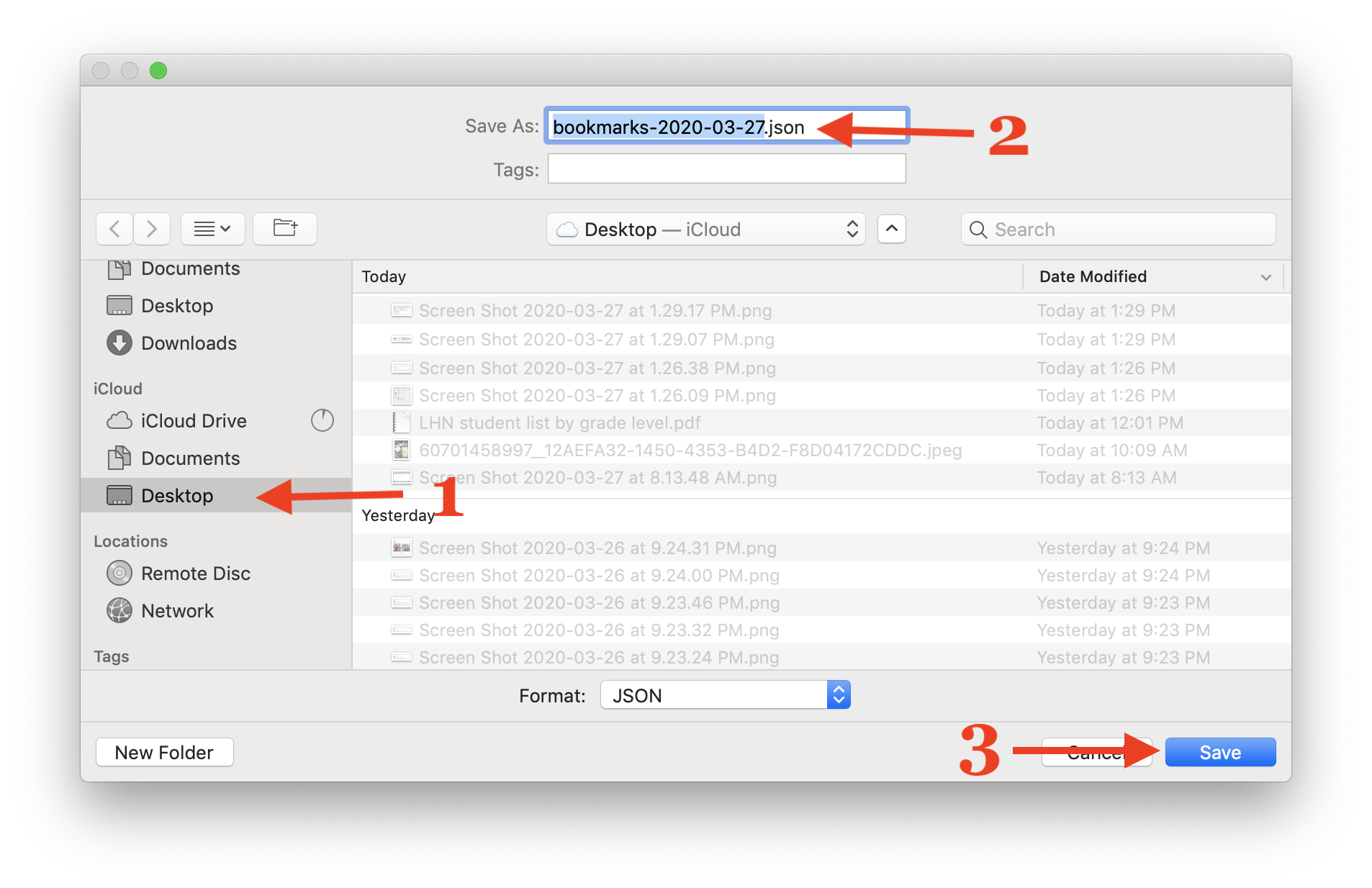
Choose the place where you'd like to save your bookmarks, give your file a name, and click save. Be sure to back up this file or sync it to OneDrive